How Websites Detect Temporary Emails
Temporary email addresses are extremely useful for protecting privacy and avoiding spam. However, many users notice that some websites refuse to accept disposable email addresses during signup.
This leads to an important question:
How do websites detect temporary emails?
In this article, we’ll explain how websites identify temporary email addresses, what methods they use, why they block them, and what this means for users of services like temp-email.io.
What Is a Temporary Email Address?
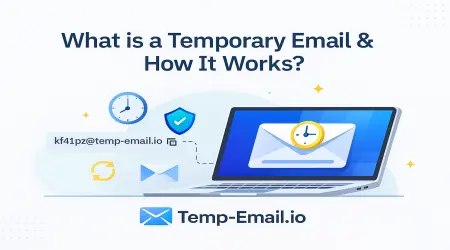
A temporary email address (also called disposable email or temp mail) is a short-term inbox that lets users receive emails without sharing their personal email address. These inboxes automatically expire and delete messages.
If you’re new to the topic, start here:
👉 What Is a Temporary Email Address? (Beginner Guide)
(internal link suggestion: /what-is-temporary-email)
Why Do Websites Try to Detect Temporary Emails?
Websites usually block or detect temporary emails to:
Prevent fake or spam accounts
Reduce abuse and bot registrations
Encourage long-term users
Protect platform integrity
This is a business and security decision, not a legal requirement.
👉 Learn more about legality here:
Is Temporary Email Legal in India and Worldwide?
(internal link suggestion: /is-temporary-email-legal)
Common Ways Websites Detect Temporary Emails
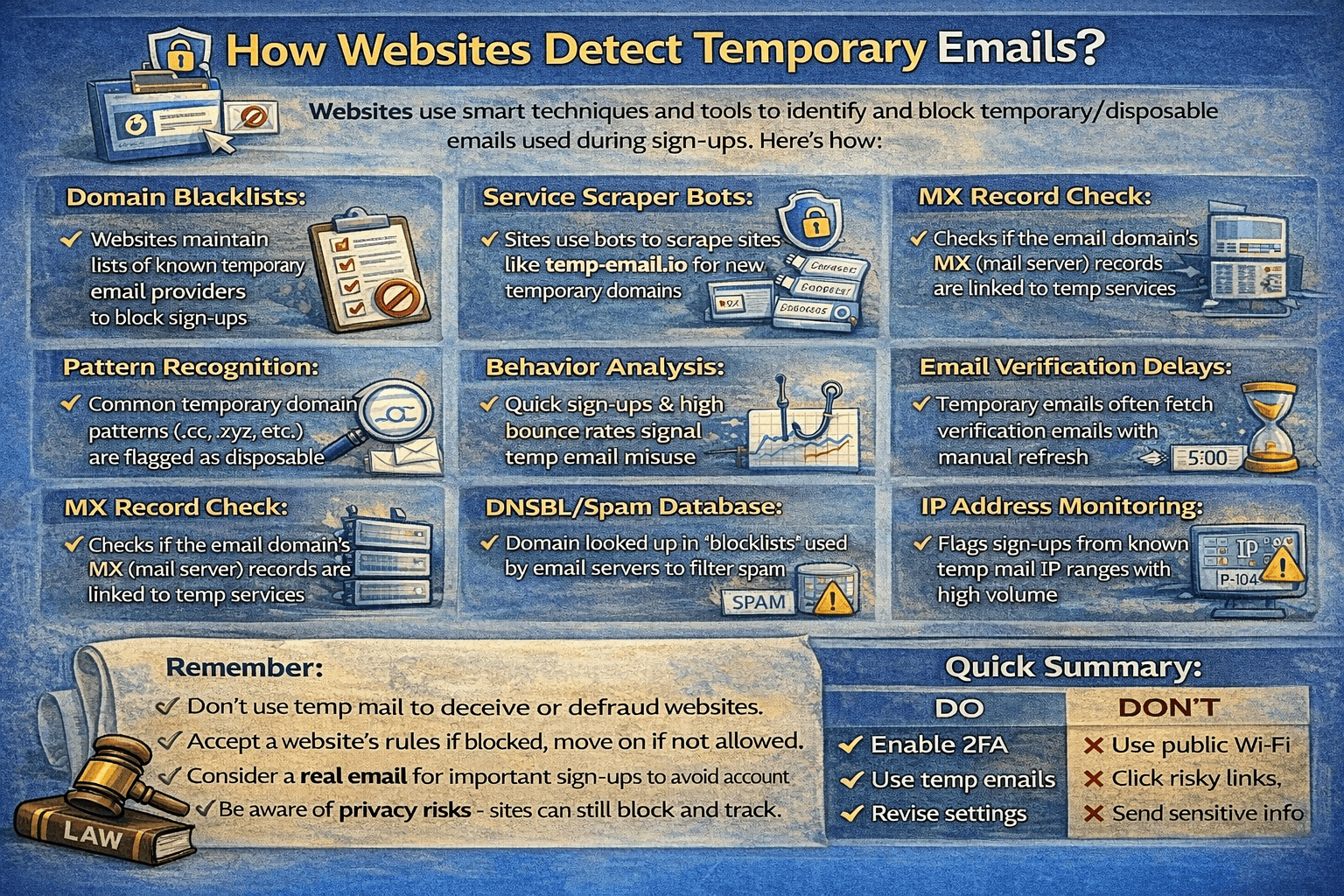
Websites use several technical and non-technical methods to detect disposable email addresses.
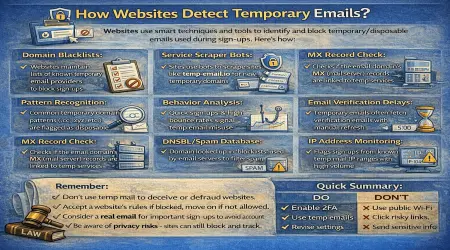
1. Disposable Email Domain Lists
Most Common Detection Method
Websites maintain updated databases of known temporary email domains.
When you enter an email address:
The system checks the domain (e.g.,
@example.com)If the domain matches a known disposable email provider
The signup is blocked or rejected
This method is fast and widely used.
👉 Learn why some sites block temp mail:
Why Some Websites Block Temporary Emails
(internal link suggestion: /temp-email-blocked)
2. Third-Party Email Verification Services
Many websites rely on external services that specialize in email validation.
These services can:
Identify disposable email domains
Flag risky or short-lived addresses
Score emails based on trust level
The website then decides whether to allow or block the signup.
3. Email Domain Reputation Checks
Some platforms analyze:
How long a domain has existed
How often it’s used for spam or fake accounts
Whether it’s associated with abuse reports
New or frequently abused domains may be flagged as temporary or risky.
4. Email Pattern Recognition
Some temporary email services generate addresses using:
Random strings
Repeating patterns
Auto-generated usernames
Websites may detect these patterns and flag them as disposable.
This method is less accurate but still used as an extra signal.
5. Account Behavior Analysis (After Signup)
Sometimes detection happens after registration.
Websites monitor:
Rapid signups from the same IP
Multiple accounts using similar email formats
Accounts with no long-term activity
If suspicious behavior is detected, accounts may be restricted—even if the email passed initial checks.
6. Email Confirmation & Bounce Tracking
Websites may also track:
Whether emails are opened
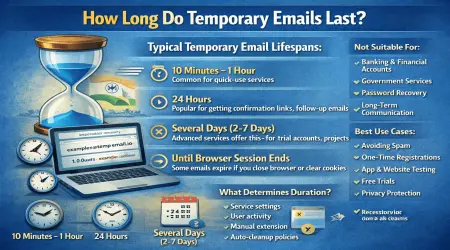
Whether inboxes expire quickly
Whether addresses stop receiving emails
Short-lived inbox behavior can signal a temporary email.
👉 Learn how inbox expiration works:
How Long Do Temporary Emails Last?
(internal link suggestion: /temporary-email-lifetime)
Can All Websites Detect Temporary Emails?
No. Detection is not universal.
Some websites don’t block disposable emails at all
Others only block well-known domains
Smaller sites often allow temp emails
That’s why temporary email still works for many:
Forums
Downloads
Free tools
Trials
One-time registrations
👉 Explore common use cases:
Temporary Email Use Cases Explained
(internal link suggestion: /temporary-email-use-cases)
Is Detection the Same as Tracking?
No—this is important.
Detection checks whether an email is disposable
Tracking follows user activity or identity
Temporary email reduces tracking risks but cannot always avoid detection.
👉 Learn more:
Can Temporary Emails Be Tracked or Hacked?
(internal link suggestion: /temporary-email-tracked-hacked)
What Temporary Email Still Protects You From
Even if a website detects temp mail, temporary email still protects against:
✔ Spam emails
✔ Long-term marketing
✔ Email-based profiling
✔ Data breach exposure
✔ Phishing to your real inbox
👉 Learn how disposable email reduces spam:
How Disposable Emails Reduce Spam
(internal link suggestion: /disposable-email-reduce-spam)
When You Should Use Personal Email Instead
Temporary email is not suitable for:
Banking
Financial services
Government portals
Long-term or important accounts
👉 Compare clearly:
Temporary Email vs Personal Email: Key Differences
(internal link suggestion: /temporary-email-vs-personal-email)
Why temp-email.io Is Still Useful
Even with detection methods, temp-email.io remains valuable because it:
Protects your real inbox
Reduces spam and phishing
Supports quick, low-risk registrations
Requires no signup or personal data
Automatically deletes emails
👉 Try it instantly:
Free Temporary Email Inbox
(internal link suggestion: /)
Best Practices to Avoid Issues
To use temporary email effectively:
Use it for low-risk, short-term needs
Complete verification quickly
Avoid sites that require long-term access
Keep personal email for important services
👉 Learn proper usage:
When Should You Use Temporary Email?
(internal link suggestion: /when-to-use-temp-email)
Final Thoughts
Websites detect temporary emails mainly to prevent abuse—not to punish users.
They rely on:
Domain lists
Reputation checks
Verification services
Behavioral analysis
Even so, temporary email remains a powerful privacy tool when used correctly.
If your goal is to avoid spam, protect your inbox, and reduce data exposure, temp-email.io is still an effective and responsible choice.