How Temporary Email Works Behind the Scenes
Temporary email services feel almost magical. You open a website, get a random email address instantly, receive messages, and walk away without leaving a trace. But behind this simple experience, there is a carefully designed system working silently to protect your privacy and keep everything fast.
In this article, we’ll explain how temporary email works behind the scenes, step by step, and how platforms like temp-email.io make disposable email safe, quick, and reliable.
What Is a Temporary Email (Quick Recap)
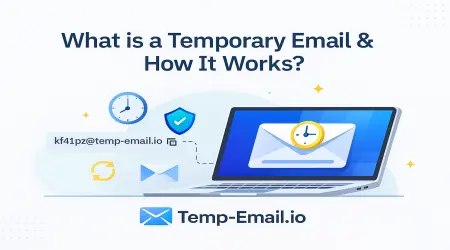
A temporary email address is a short-term inbox that lets you receive emails without using your personal email. It automatically expires after a fixed time.
If you’re new, you can first read our beginner guide here:
👉 Temporary Email Address – Beginner Guide (internal link suggestion: what-is-temporary-email)
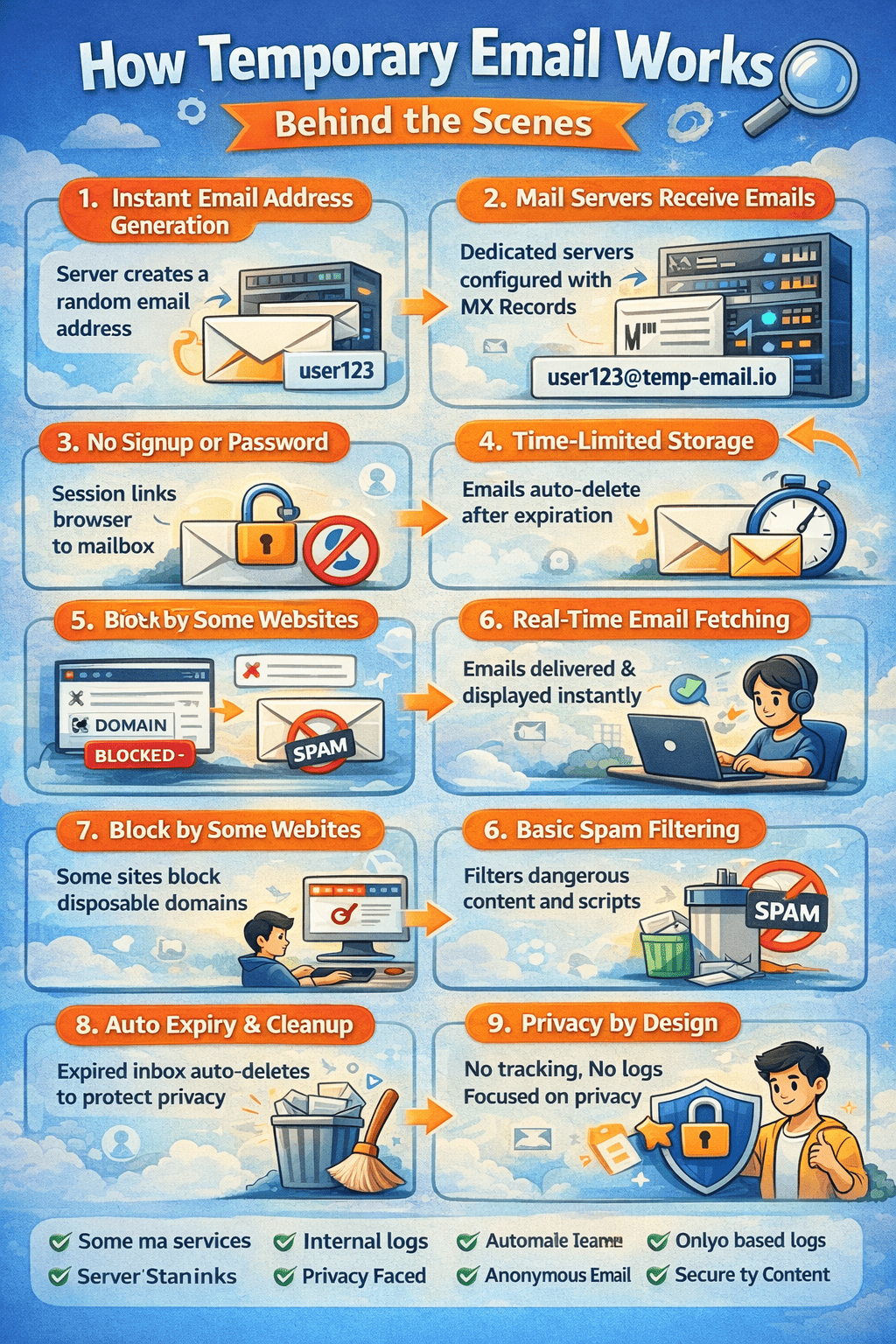
Step 1: Instant Email Address Generation
When you visit temp-email.io, the system immediately generates a random email address for you.
Behind the scenes:
A unique username is created automatically
It is attached to one of the service’s email domains
A temporary mailbox ID is assigned
No signup.
No password.
No personal information.
This instant generation is what makes temporary email different from traditional providers.
Step 2: Domain & Mail Server Configuration
Every temporary email service runs its own mail infrastructure.
Here’s what happens technically:
The domain (like
@temp-email.io) has MX (Mail Exchange) recordsThese records tell the internet where emails should be delivered
Incoming emails are routed directly to the temp email servers
This setup allows temp-email.io to receive real emails just like Gmail or Outlook—only without long-term storage.
👉 Learn more about how disposable email differs from regular email (internal link suggestion: temporary-email-vs-regular-email)
Step 3: No Accounts, No Passwords
One of the most important behind-the-scenes differences is authentication.
Traditional email:
Username + password
Long-term account storage
Temporary email:
Browser session or unique inbox token
No login system at all
This means:
Anyone with the same address can view the inbox
Emails are meant only for short-term use
That’s why temp email should never be used for sensitive accounts.
Step 4: Real-Time Email Delivery
Once someone sends an email to your temporary address:
The mail server receives the message
The email content is parsed (sender, subject, body)
The inbox updates automatically in your browser
Most temporary email platforms refresh inboxes every few seconds, which is why emails appear almost instantly.
👉 You can test this live using the Free Temporary Email Inbox (internal link suggestion: / or /temporary-email)
Step 5: Temporary Storage & Auto-Deletion
Temporary email services are designed to forget.
Behind the scenes:
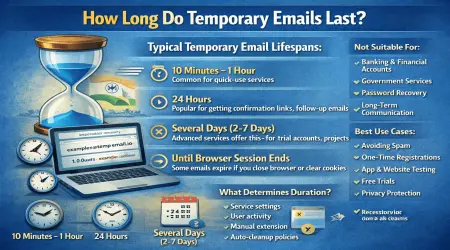
Each inbox has a predefined lifetime
Emails are stored in lightweight databases
Automated cleanup tasks run continuously
When the time expires:
Emails are permanently deleted
The inbox is destroyed
The email address stops working
This auto-deletion system is key to privacy protection.
👉 Read more about email auto-delete and inbox lifetime (internal link suggestion: /email-lifetime)
Step 6: Basic Security & Content Filtering
To stay safe and AdSense-friendly, temporary email services apply basic protection:
Malicious scripts are removed
Dangerous attachments may be blocked
Tracking pixels are stripped
HTML content is sanitized
This prevents abuse while keeping delivery fast and simple.
👉 See how temp-email.io protects user privacy (internal link suggestion: privacy-policy)
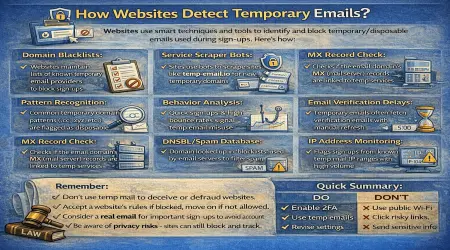
Step 7: Why Some Websites Block Temporary Emails
Some websites actively block disposable email domains.
This happens because:
They want long-term users
They try to prevent fake signups
They maintain blocklists of temp mail domains
That’s why temporary email works best for:
One-time registrations
Email verification
Downloads
Free trials
Testing websites or apps
👉 Learn when to use temporary email and when not to (internal link suggestion: /when-to-use-temp-email)
Step 8: Privacy-First System Design
Temporary email services follow a privacy by design approach:
No user profiles
No permanent logs
No personal data collection
Automatic inbox cleanup
Even if someone wanted to track users, there is almost nothing stored.
This is why disposable email is popular among privacy-conscious users.
Why Temporary Email Is So Fast
Temporary email platforms like temp-email.io are fast because they avoid:
Account management
Password encryption
Long-term storage
Heavy spam filtering systems
The result:
Faster inbox loading
Instant email delivery
Minimal server load
When Should You Use Temporary Email?
Use temporary email when:
You want to avoid spam
You don’t trust a website
You need quick verification
You are testing a form or app
Avoid using it for:
Banking
Financial services
Important personal accounts
Final Thoughts
Behind its simple interface, a temporary email service runs a smart, lightweight system focused on privacy, speed, and convenience.
From instant inbox creation to automatic deletion, everything works together behind the scenes to keep your real inbox safe.
If you want a fast, private, and hassle-free disposable email experience, temp-email.io is built exactly for that purpose.