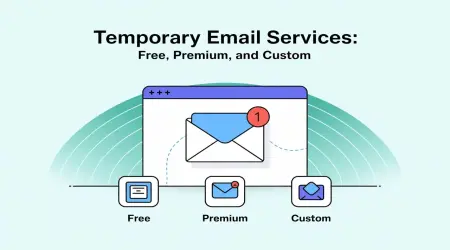

Temporary Email for Software Developers: Smarter Testing, Better Privacy, Faster Workflow
Software developers sign up for countless tools, platforms, APIs, and services every week. From testing authentication flows to deploying new apps, email verification is part of daily development work. Using a personal or company email for every test is inefficient—and risky.
This is where temporary email services become extremely useful. In this guide, you’ll learn how software developers can use temporary email safely, efficiently, and responsibly, with practical examples using temp-email.io.
What Is a Temporary Email?
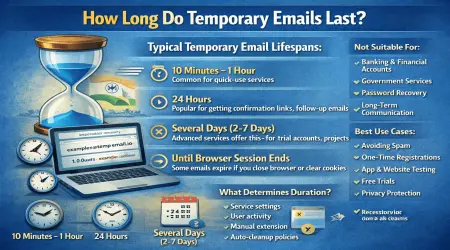
A temporary email address is a short-lived email that lets you receive messages instantly without registration. It automatically expires after a set time, keeping your inbox clean and your identity private.
With temp-email.io, developers can generate an email instantly—no login, no password, no data collection.
👉 New to the concept?
Internal link: What Is a Temporary Email Address? – https://temp-email.io/
Why Software Developers Need Temporary Email
Developers frequently interact with:
Authentication systems
CI/CD tools
APIs & SDKs
Beta apps & staging environments
Using a real email repeatedly leads to spam, clutter, and unnecessary exposure. Temporary email solves this efficiently.
Key Benefits of Temporary Email for Developers
1. Email Verification Testing
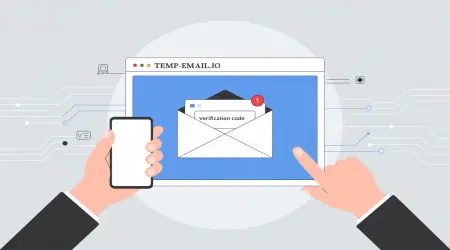
Many applications require email confirmation during signup. Temporary email allows developers to:
Test verification links
Validate OTP emails
Debug failed email deliveries
Without polluting their real inbox.
👉 Related read:
Internal link: Can Temporary Emails Receive Verification Codes? – https://temp-email.io/blog/
2. Faster App & Website Testing
During QA and staging tests, developers create multiple test accounts. Temporary emails enable:
Rapid account creation
Clean test environments
Repeatable testing workflows
👉 Learn more:
Internal link: Temporary Email for App & Website Testing – https://temp-email.io/blog/
3. Protect Developer Privacy
Open-source contributions, testing unknown tools, or accessing new platforms may expose your email. Temporary email helps protect your identity and prevents data leaks.
👉 Privacy guide:
Internal link: Email Privacy Tips Everyone Should Know – https://temp-email.io/blog/
4. CI/CD & Automation Testing
For developers working with automation:
Test transactional emails
Validate password reset flows
Simulate user onboarding
Temporary emails are perfect for short-lived automated tests.
5. Avoid Spam From Dev Tools & Platforms
Many tools continue sending newsletters long after testing. Temporary email ensures zero long-term spam.
👉 Spam-focused guide:
Internal link: How Disposable Emails Reduce Spam – https://temp-email.io/blog/
Is Temporary Email Safe for Software Developers?
Yes—when used for the right purposes.
Safe use cases:
Testing and debugging
Short-term platform access
QA & staging environments
Not recommended for:
Production admin accounts
Source control (GitHub, GitLab)
Long-term recovery emails
👉 Security deep dive:
Internal link: Is Temporary Email Safe to Use? – https://temp-email.io/blog/
How Developers Use temp-email.io (Step-by-Step)
Copy the auto-generated email address
Use it for testing or signup
Receive messages instantly
Let the email expire automatically
No credentials. No tracking. No maintenance.
AdSense & Policy-Friendly Content
Educational content about temporary email for development and testing is fully compliant with Google AdSense, as long as:
You promote ethical usage
Content is original and informative
No instructions for abuse are provided
This article follows all AdSense guidelines.
Temporary Email vs Real Email for Developers
| Feature | Temporary Email | Real Email |
|---|---|---|
| Quick Testing | ✅ Excellent | ❌ Slow |
| Privacy | ✅ High | ❌ Moderate |
| Inbox Clutter | ✅ None | ❌ High |
| Long-Term Access | ❌ No | ✅ Yes |
The best practice is using both strategically.
Best Practices for Developers
Use temp email only in testing environments
Never rely on it for production credentials
Combine with logging and monitoring tools
Use trusted providers like temp-email.io
Final Thoughts
For modern software developers, temporary email is not a hack—it’s a professional testing tool. It speeds up development, keeps inboxes clean, and protects privacy during experimentation.
If you build, test, or deploy software regularly, temp-email.io is a must-have utility.
🚀 Try it now: https://temp-email.io/
Fast. Secure. Developer-friendly.