Temporary Email vs Burner Email: What’s the Real Difference?
If you care about online privacy, you’ve probably heard terms like temporary email and burner email. At first glance, they sound the same—both help you avoid spam and protect your real inbox. But in reality, they serve slightly different purposes.
So which one should you use?
And how do they compare in real-world situations?
In this article, we’ll explain Temporary Email vs Burner Email, break down the key differences, and help you choose the right option—especially if you use services like temp-email.io.
What Is a Temporary Email?
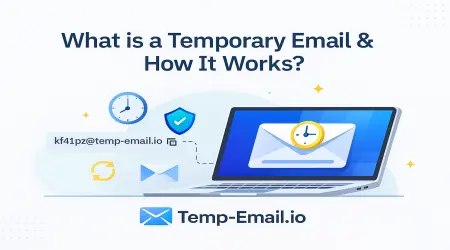
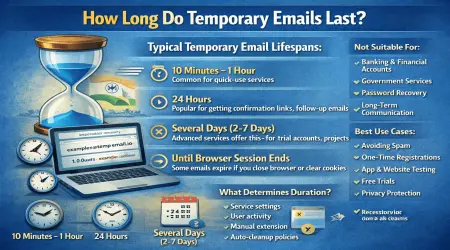
A temporary email (also called disposable email or temp mail) is a short-lived email address that works instantly and expires automatically after a fixed time.
Key characteristics:
No signup or password
Automatically generated
Inbox expires and deletes emails
Best for one-time or short-term use
If you’re new, start here:
👉 What Is a Temporary Email Address? (Beginner Guide)
(internal link suggestion: /what-is-temporary-email)
What Is a Burner Email?
A burner email is a secondary email account created specifically for privacy or separation—but it usually lasts longer than a temporary email.
Typical burner email features:
Created manually (often via Gmail or similar)
Requires signup and password
Can be used for weeks or months
User controls when to abandon it
A burner email is closer to a “throwaway personal account” than a fully disposable inbox.
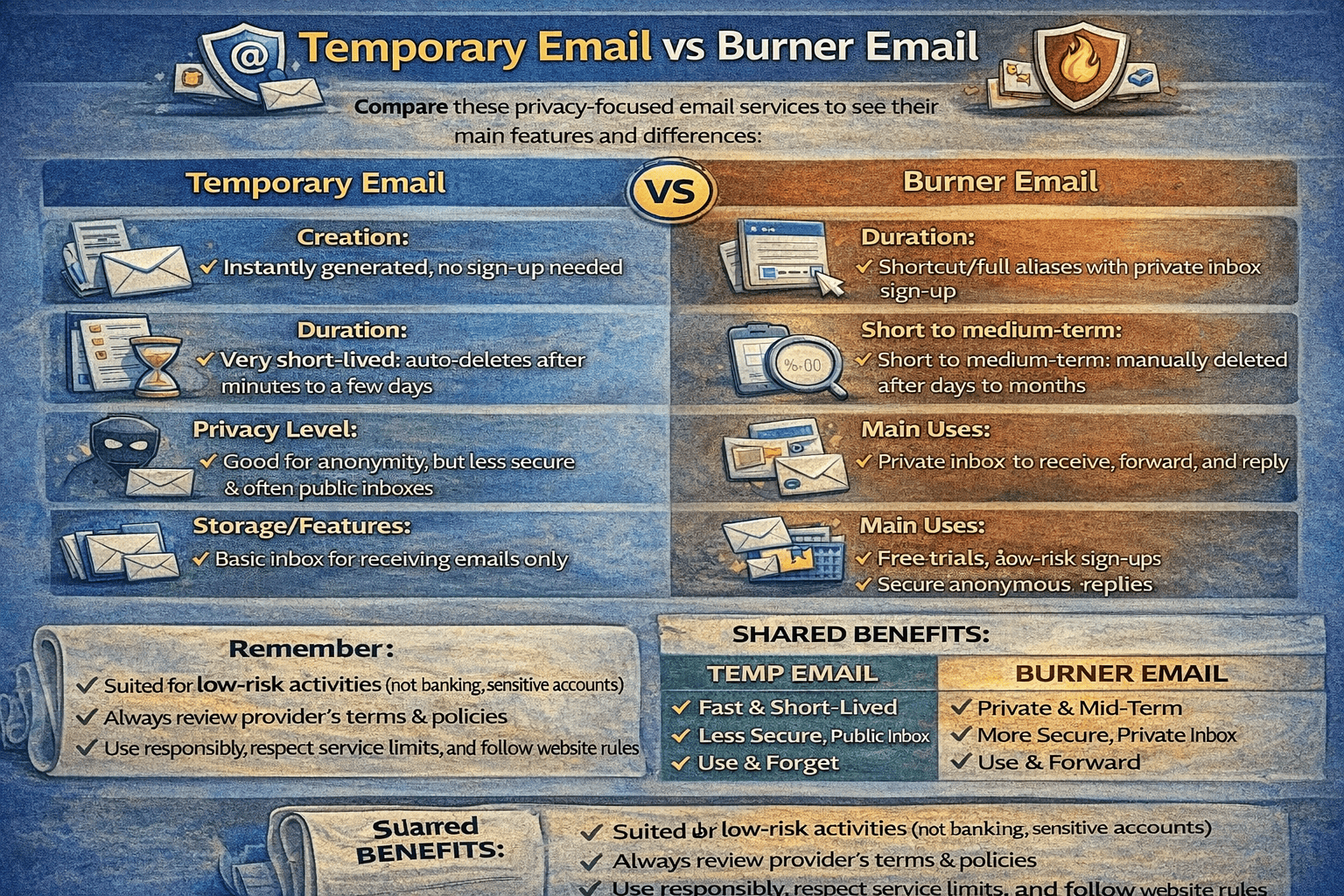
Temporary Email vs Burner Email: Quick Comparison
| Feature | Temporary Email | Burner Email |
|---|---|---|
| Signup Required | ❌ No | ✅ Yes |
| Password Needed | ❌ No | ✅ Yes |
| Inbox Lifetime | Minutes / Hours / Days | Days / Weeks / Months |
| Auto-Deletion | ✅ Yes | ❌ Manual |
| Privacy Level | 🔒 Very High | 🔐 Medium |
| Account Recovery | ❌ No | ✅ Yes |
| Best For | One-time use | Short-term ongoing use |
1. Ease of Use
Temporary Email
With temp-email.io, you:
Open the website
Copy the email address
Start receiving emails instantly
No setup. No accounts.
👉 Learn how it works:
How Temporary Email Works Behind the Scenes
(internal link suggestion: /how-temporary-email-works)
Burner Email
Burner emails require:
Creating a new account
Managing passwords
Sometimes phone verification
They are more work—but more flexible.
2. Privacy & Anonymity
Temporary Email
Temporary email offers maximum anonymity:
No personal data collected
No identity attached
Inbox disappears automatically
This makes it ideal for untrusted websites.
👉 Learn more:
How Temporary Email Protects Your Online Privacy
(internal link suggestion: /temporary-email-online-privacy)
Burner Email
Burner emails still:
Belong to an email provider
Have login credentials
May be linked to recovery options
They are private—but not anonymous.
3. Spam & Inbox Control
Temporary Email
Temporary email reduces spam by design:
Spam goes to a disposable inbox
Inbox expires
No long-term exposure
👉 Learn more:
How Disposable Emails Reduce Spam
(internal link suggestion: /disposable-email-reduce-spam)
Burner Email
Burner emails can still:
Accumulate spam
Require cleanup
End up on spam lists
You eventually abandon them manually.
4. Verification & Signups
Temporary Email
Temporary emails can receive:
Verification codes
Activation links
Signup confirmations
As long as the site allows disposable email domains.
👉 Learn more:
Can Temporary Emails Receive Verification Codes?
(internal link suggestion: /temporary-email-verification-codes)
Burner Email
Burner emails work for:
Most registrations
Sites that block temp mail
Short-term accounts needing recovery
This is where burner email has an advantage.
5. Website Acceptance
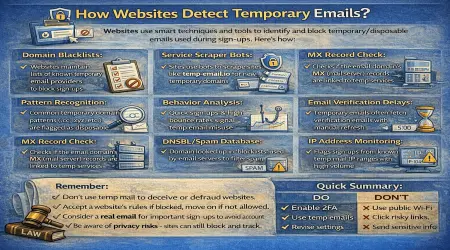
Some websites block temporary email domains.
Temporary email → sometimes rejected
Burner email → usually accepted
👉 Learn why this happens:
How Websites Detect Temporary Emails
(internal link suggestion: /how-websites-detect-temp-email)
6. Security & Risk
Temporary Email
Safe for:
Low-risk signups
One-time use
Privacy protection
Not suitable for:
Banking
Financial services
Important long-term accounts
👉 Learn more:
Is Temporary Email Safe to Use?
(internal link suggestion: /temporary-email-safety)
Burner Email
Safer for:
Medium-term access
Accounts needing recovery
Less sensitive but ongoing use
Still not recommended for high-security accounts.
When Should You Use Temporary Email?
Use temporary email when:
You don’t trust a website
You want instant access
You want zero spam
You need one-time verification
👉 Explore use cases:
Temporary Email Use Cases Explained
(internal link suggestion: /temporary-email-use-cases)
When Should You Use a Burner Email?
Use a burner email when:
You need short-term but repeated access
The site blocks temp email
You want limited account recovery
You plan to use the account for weeks
Why Many Users Use Both
Smart users combine both tools:
Temporary email → fast, anonymous, disposable
Burner email → short-term but reusable
And for instant disposable inboxes, temp-email.io is the easiest option.
👉 Try it instantly:
Free Temporary Email Inbox
(internal link suggestion: /)
Final Thoughts
Temporary email and burner email are not competitors—they solve different problems.
Temporary email is best for speed, privacy, and one-time use
Burner email is better for short-term ongoing access
Understanding the difference helps you protect your inbox, reduce spam, and stay in control of your online privacy.
If you want instant, no-signup disposable email, temp-email.io is built exactly for that purpose.